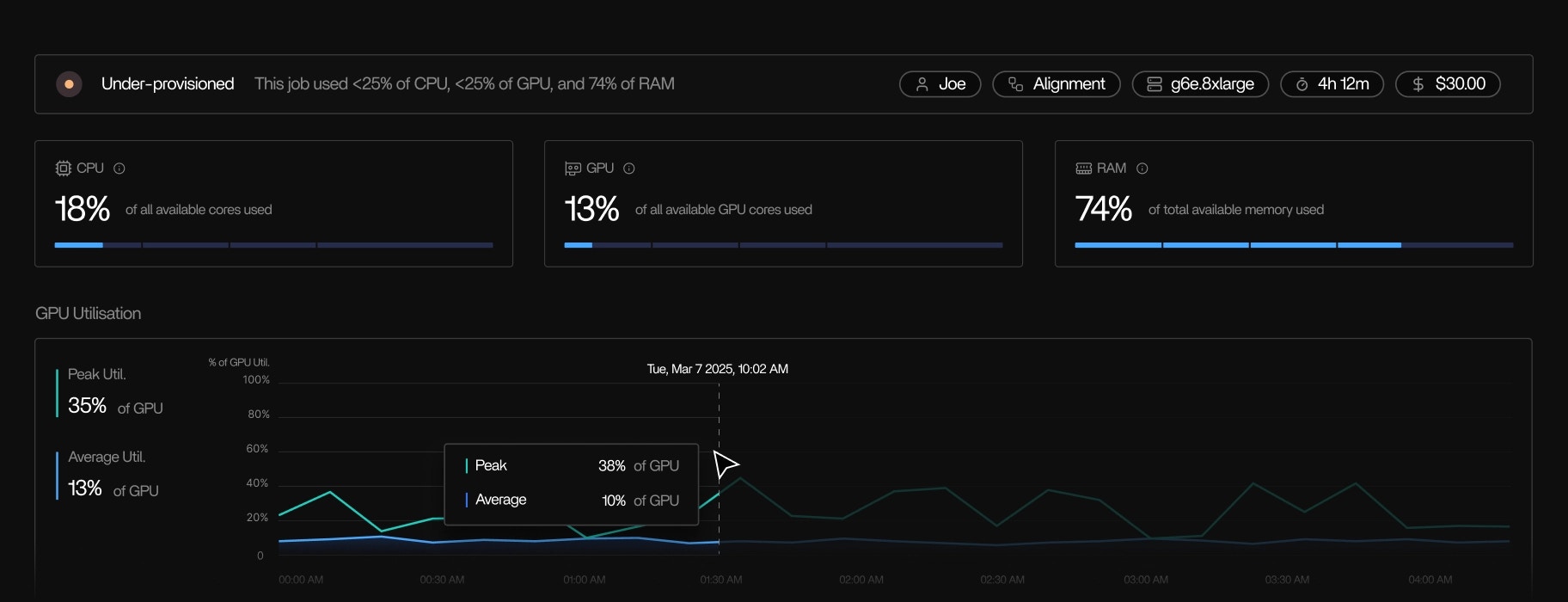
Tracer observes what your jobs do at the operating system level and surfaces the signals that normally take weeks to piece together from logs, cloud consoles, Batch systems, and workflow engines. Tracer does not change your code, nor does it rewrite your pipelines. It doesn’t require tagging, and doesn’t require you to change the way you work.

Getting started

Installation requires no code changes

Tracer installs with a single command and takes another command to run.
  • No changes to your scripts, workflow definitions, containers, or environments.
  • Once installed, your next run is visible automatically.

Observability

Runtime view
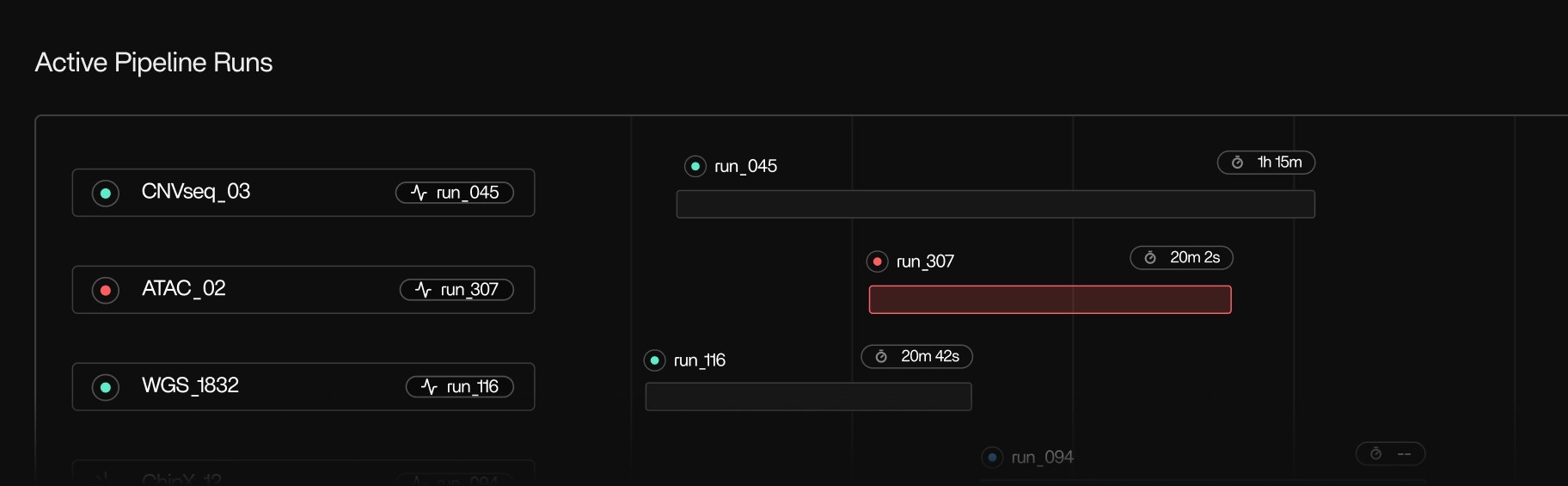
Runtime view showing pipeline execution organized by pipeline, run, step, and tool
Tracer reconstructs any pipeline execution directly from the kernel. Tracer organizes telemetry by pipeline, run, step, and tool. I.e. It mirrors how research workflows are structured. You see:
  • Every run currently executing
  • Steps, tools, and subprocesses
  • Start and stop times
  • Resource usage over time
  • Container lifecycle events
This view does not depend on workflow metadata or logs. Because Tracer runs close to the metal it accurately reflects everything that ran.

Tool and binary detection

Tool and binary detection showing all binaries, scripts, and containers active on the cluster
Instantly identify every binary, script, or container active on your cluster, including hidden dependencies or subprocesses. See the binaries inside each pipeline step, including:
  • Native executables
  • Python-spawned processes
  • Java tools
  • Shell commands
  • Long-lived and short-lived child processes
Even tools that don’t produce logs will still appear with complete runtime information.

Kernel-level telemetry
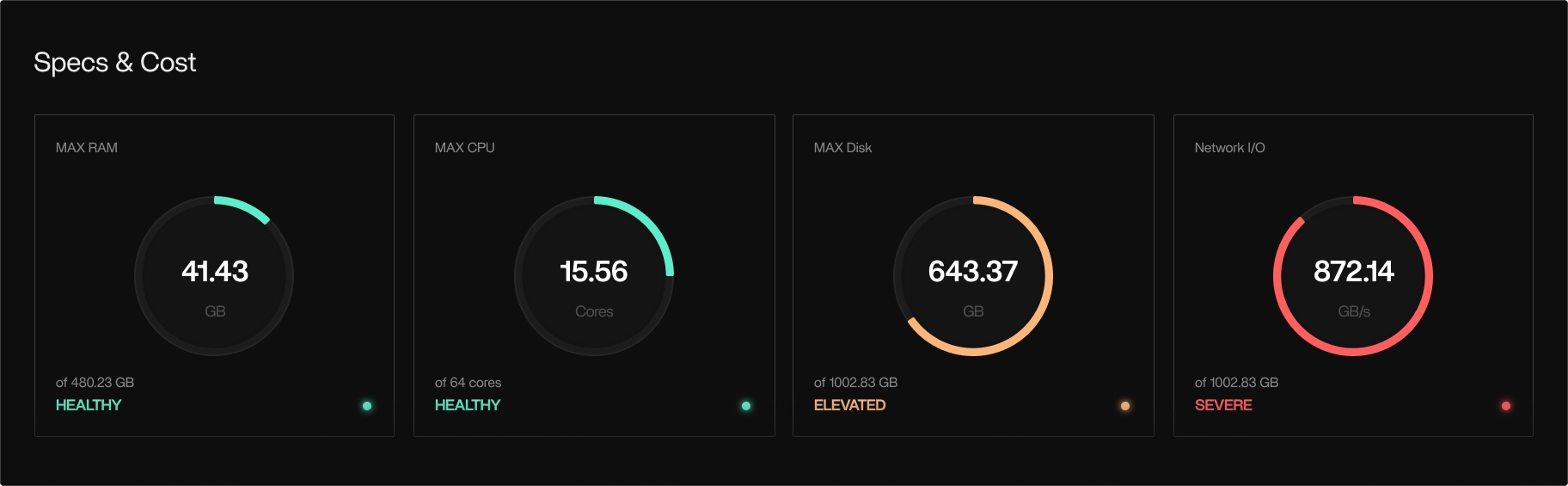
Kernel-level telemetry using eBPF for low-level performance observation

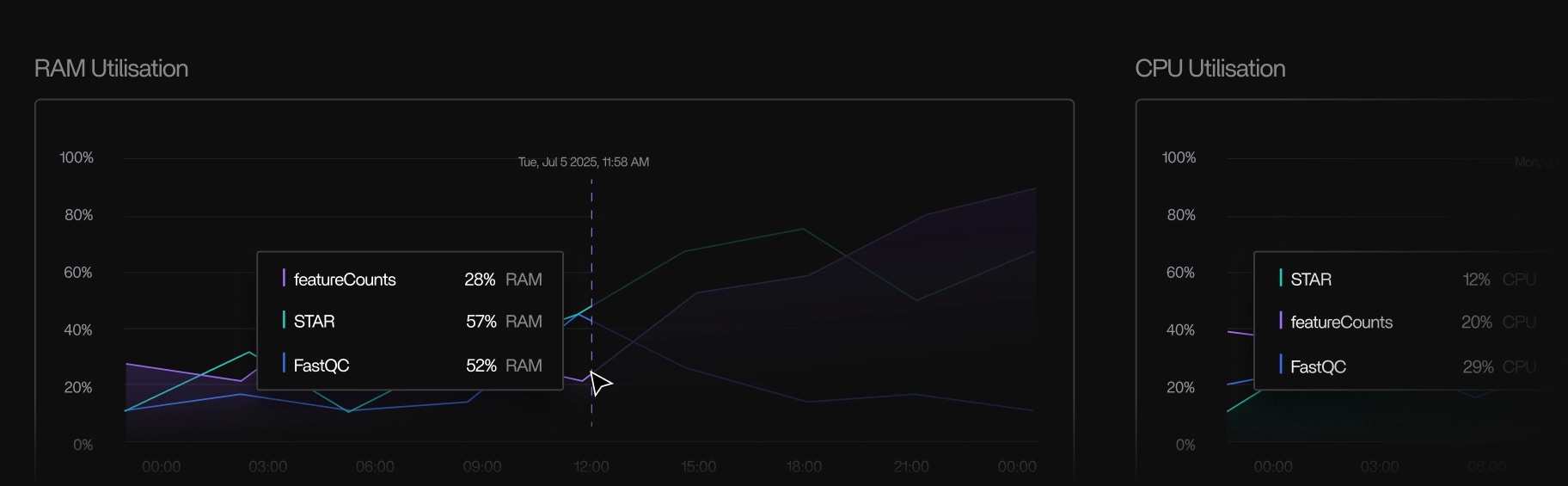
Kernel-level telemetry showing CPU, memory, disk I/O, and network activity metrics
Tracer uses eBPF to observe low-level performance safely and efficiently at the kernel-level. It captures:
  • CPU usage
  • Memory usage and peak memory
  • Disk I/O
  • I/O wait
  • Network activity
  • Syscall-level metadata
  • Out-of-memory kill events
These signals enable Tracer to report what happened without depending on user logs, and you can see any change to every metric in real-time.

Full pipeline overview in real-time

View every pipeline run as it happens. See which steps, tools, and samples are running, queued, or completed, along with their current resource usage, expected runtime, and recent progress. Tracer highlights steps that are stalled, making no forward progress, running significantly slower than usual, or consuming abnormal CPU, memory, or I/O. You can follow each step from start to finish, watch new subprocesses appear in real time, and understand how work is distributed across your nodes, without checking logs, SSH’ing into machines, or waiting for workflows to finish.

Automatic logging

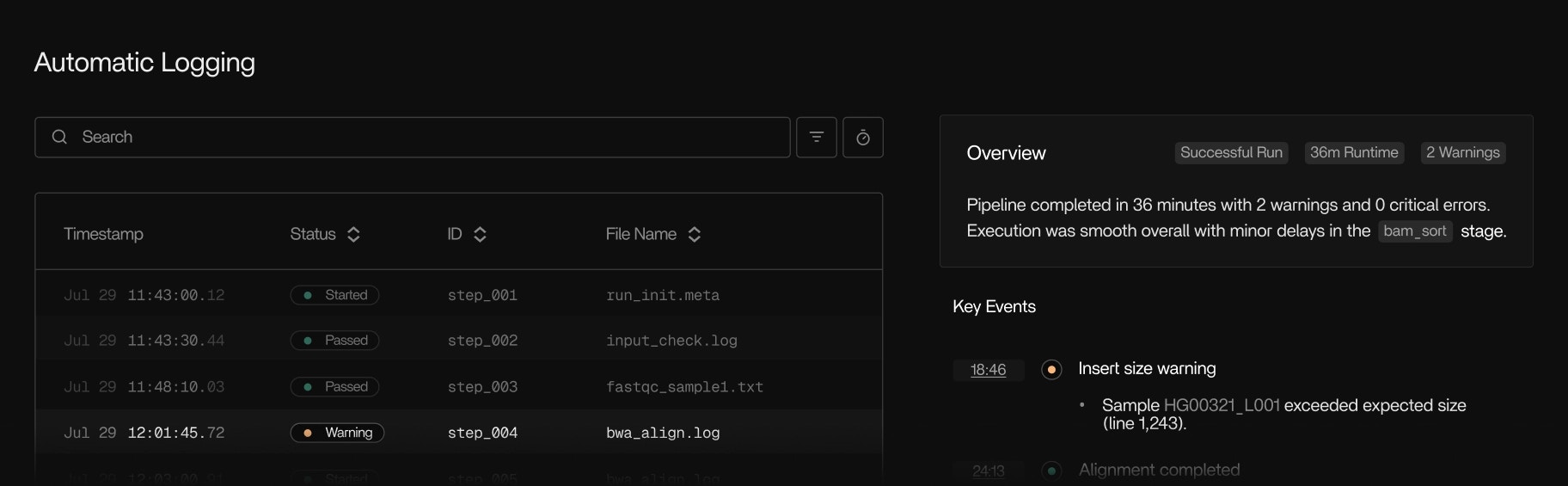
Automatic logging showing structured execution timelines from kernel-level signals
Tracer generates complete, structured execution timelines directly from kernel-level signals, even for tools that produce minimal logs, logs that disappear after a failure, or no logs at all. For every tool and subprocess, Tracer reconstructs when it started, when it stopped, how much CPU and memory it consumed, what files it touched, and whether it progressed. This gives you a reliable view of what happened inside steps that would otherwise be opaque, including legacy bioinformatics tools, short-lived helper binaries, child processes spawned by Python, and tools whose stderr/stdout output provides no useful context. Because the logging is derived from the operating system rather than the application, you always get complete runtime information without the need for instrumentation, wrappers, or re-running pipelines.

Debugging

Failure signals

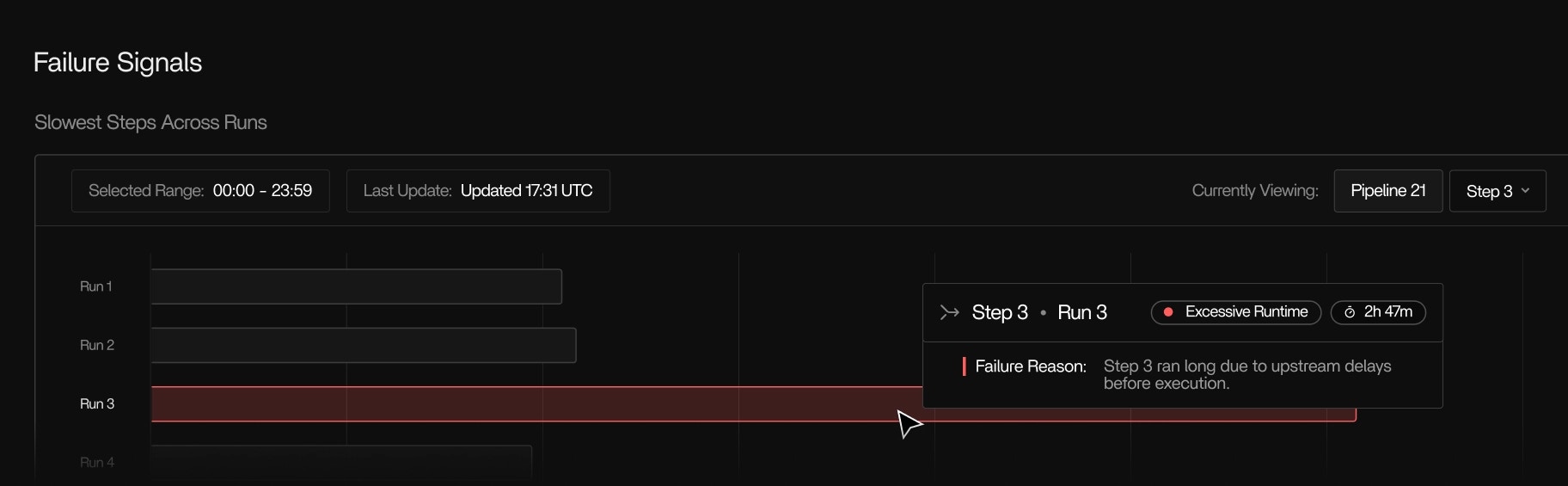
Failure signals showing OOM kills, stalled tools, and I/O wait issues
Tracer surfaces failure conditions observed at the OS level:
  • Accurate OOM kills
  • Tools that start but make no progress
  • Unusually long I/O wait
  • Unusually long Network I/O wait
  • Steps that run significantly slower than typical
These are tied directly to the tool or subprocess that triggered them and makes it a lot easier for you to debug and optimize your pipeline.

Root-cause insights

Root-cause insights correlating slowdowns and failures with resource behavior
Tracer correlates slowdowns, queue delays, and task failures with the underlying resource behavior observed at the operating system level, including I/O wait, disk contention, network stalls, CPU oversubscription, and memory pressure. Tracer links all low-level signals to the exact tool or subprocess that triggered them, and makes it clear why a step is running slowly or failing, not just that it did. You can see when a tool stops making forward progress, when a subprocess is blocked on file I/O, when network throughput drops unexpectedly, or when a step is repeatedly retrying due to resource starvation. Instead of manually piecing together logs, cloud metrics, stderr output, and orchestrator messages, Tracer provides a precise, real-time explanation of performance issues directly in the context of the pipeline run you’re debugging.

Cost optimization

Cost and usage tracking
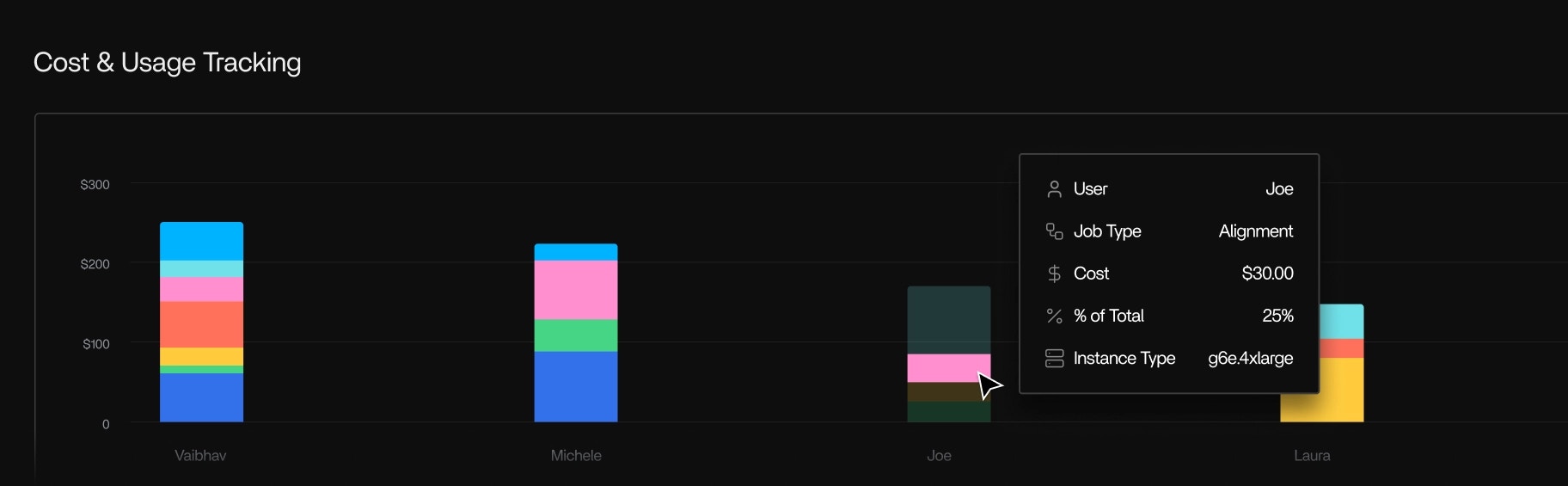
Cost and usage tracking broken down by pipeline, run, step, tool, and instance
Tracer aggregates compute usage and cost for your cloud accounts and breaks them down by:
  • Pipeline
  • Run
  • Step
  • Tool
  • Instance
  • User
  • Cost center
Cost is calculated using the same metrics used by the cloud provider and therefore always maps 1:1 to the cloud provider you use to run your pipeline.
AWS is currently the main cost integration; GCP telemetry is supported.

Instance rightsizing
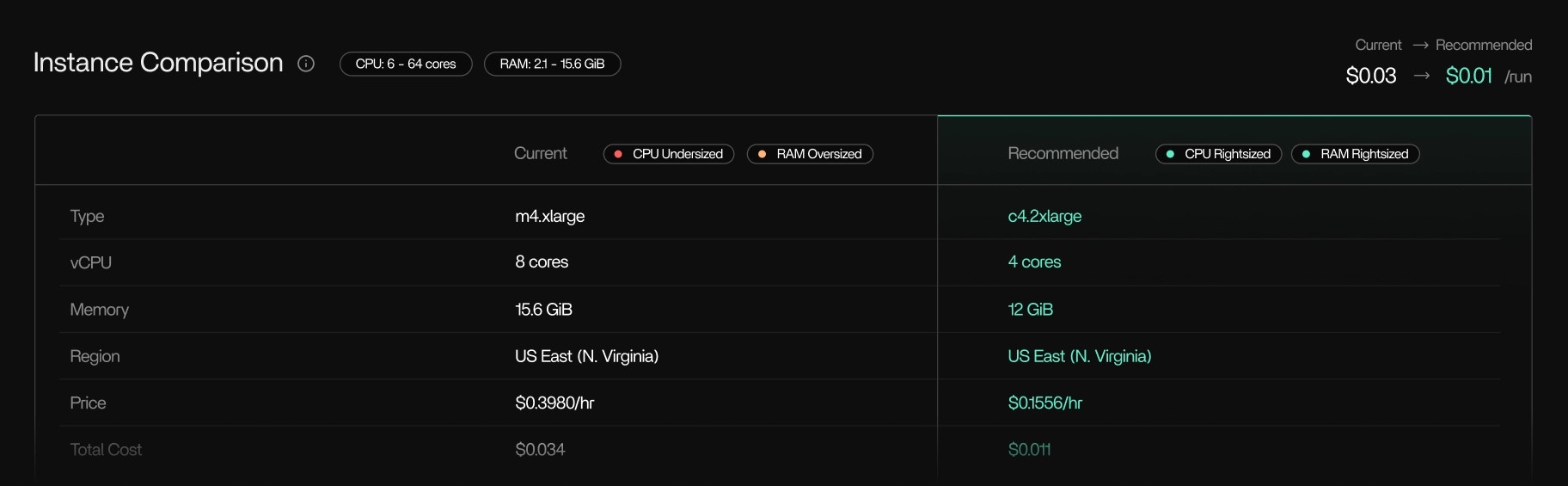
Instance rightsizing recommendations based on real resource usage
Tracer analyzes real resource usage for each step and recommends smaller or more appropriate instance types when workloads are overprovisioned or better instance alternatives for the type of pipeline.

Regional and instance family optimizations

Tracer will recommend instance families that suit your task better and regions that support them. Tracer will also recommend cost optimizations across on-demand and spot pricing that’s optimized by region.
Recommendations are based only on observed runtime behavior.

Idle resource detection
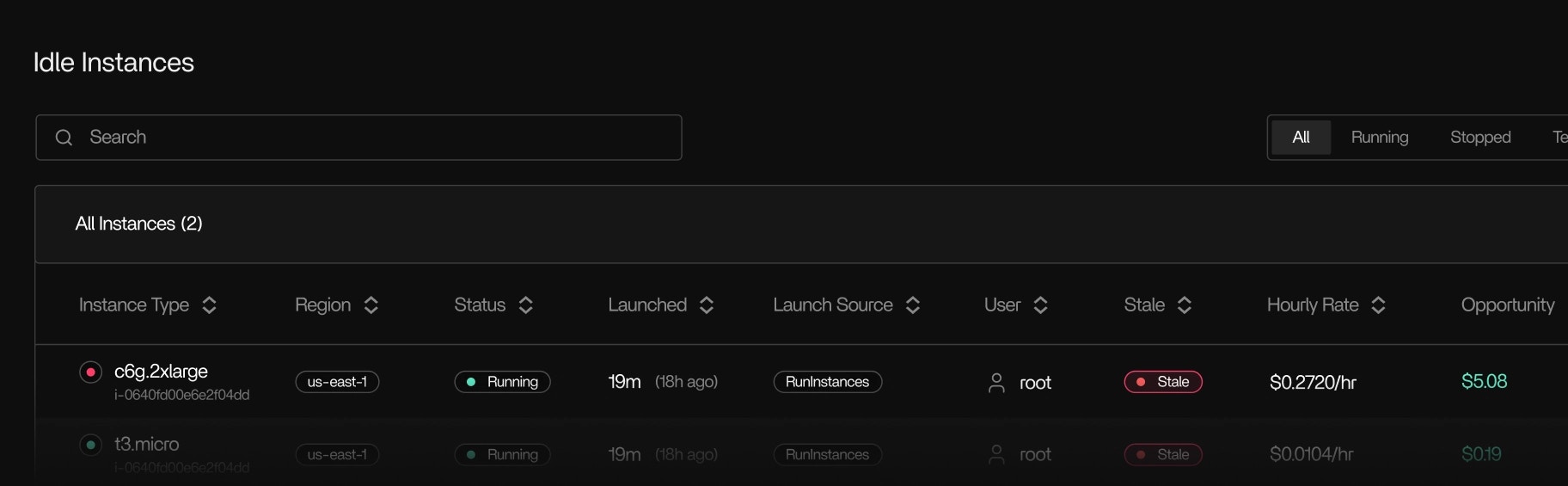
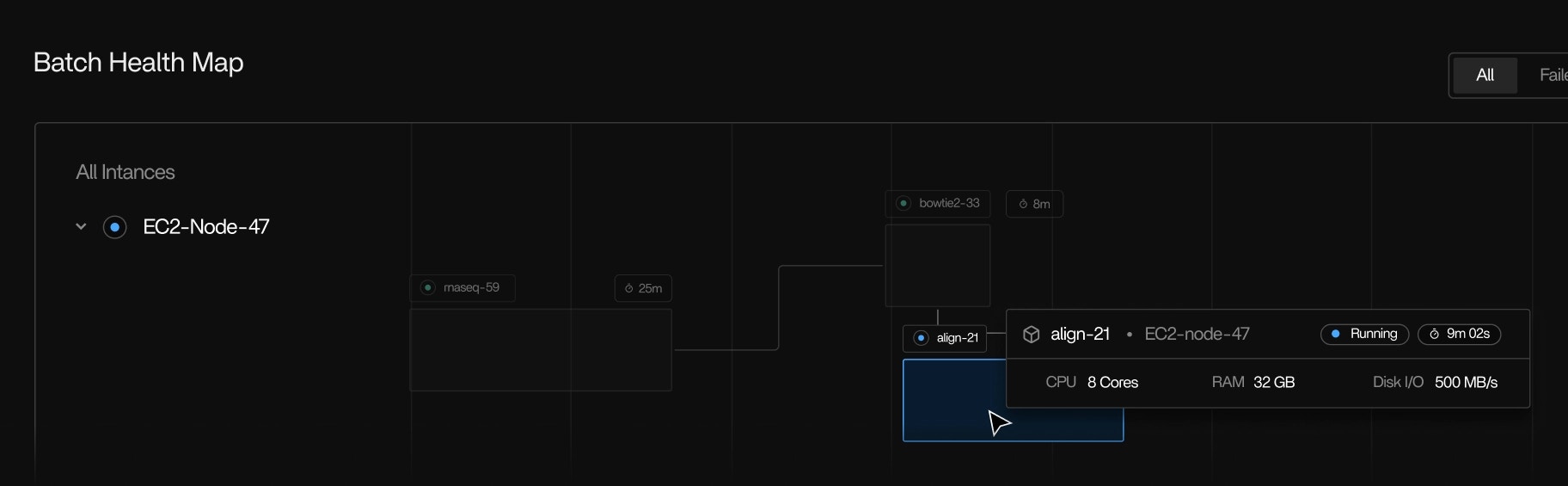
Idle resource detection showing inactive EC2 nodes and batch workers
Tracer detects:
  • Active EC2 nodes that aren’t doing any work
  • Batch workers stuck idle
  • Instances with negligible CPU activity over time
These signals help teams understand which instances can be shut down and avoid unnecessary spend. We heard from a bioinformatician that one of their interns had forgotten to turn off an instance over a weekend. The intern unfortunately managed to burn through the next six months of their cloud budget.

Compatibility

Framework and cloud support

Tracer is framework agnostic and works with all the frameworks you use:
  • Nextflow
  • Snakemake
  • CWL
  • Argo
  • Custom scripts
  • AWS Batch
  • EC2-based compute
  • GCP (telemetry)
  • On-prem Linux environments
  • And many others
Because Tracer runs at the kernel-level, you don’t need any configuration for any of these systems, it all just works straight-out-of-the-box.

Real-world environments

Tracer is built to handle the complexity of production scientific computing environments. Whether you’re running on cloud infrastructure, on-premises clusters, or a hybrid of both, Tracer adapts to your setup. Tracer supports:
  • Mixed cloud and on-prem environments
  • Legacy tools and custom binaries
  • Pipelines with many short-lived steps
  • Custom AMIs and machine images
  • Containerized and non-containerized workloads
  • Batch processing systems
  • Interactive compute sessions
If the workload runs on Linux, Tracer observes it.

Security and performance

Security model

All your data is safe and secure as Tracer does not inspect or collect:
  • Input data
  • Output data
  • Sample or patient data
  • Code
  • Environment variables
  • Secrets
The Tracer agent only collects:
  • System-level performance telemetry
  • Tool and process metadata
  • Cloud cost and usage identifiers (From your Cloud provider)

Overhead

Tracer’s eBPF-based collection runs inside the kernel with negligible overhead. The agent is designed to have minimal impact on your pipeline’s performance, even when monitoring complex, multi-step workflows with thousands of subprocesses.
You do not need to re-run pipelines to obtain telemetry.
Key performance characteristics:
  • eBPF probes execute in kernel space with nanosecond-level latency
  • No modification to your application code or binaries
  • Constant memory footprint regardless of pipeline complexity
  • Zero network overhead for local telemetry collection